





 Groww
Groww
 · any CSV via column mapping
Understand the result. Review the decisions behind it.
TradeTattva shows what your data supports, what is missing and how your results relate to the plan you recorded.
Missing data stays visible.
Unavailable figures appear as a dash, so missing information is easy to spot.
Know when the sample is small.
Strategy analysis flags limited data and shows an uncertainty range when there is enough history.
Patterns need context.
Compare winning and losing days without treating an observed pattern as proof of its cause.
Review against your own rules.
Compare each session with the limits and setups you chose.
Built around how a day actually goes.
Write the plan while it can still change something.
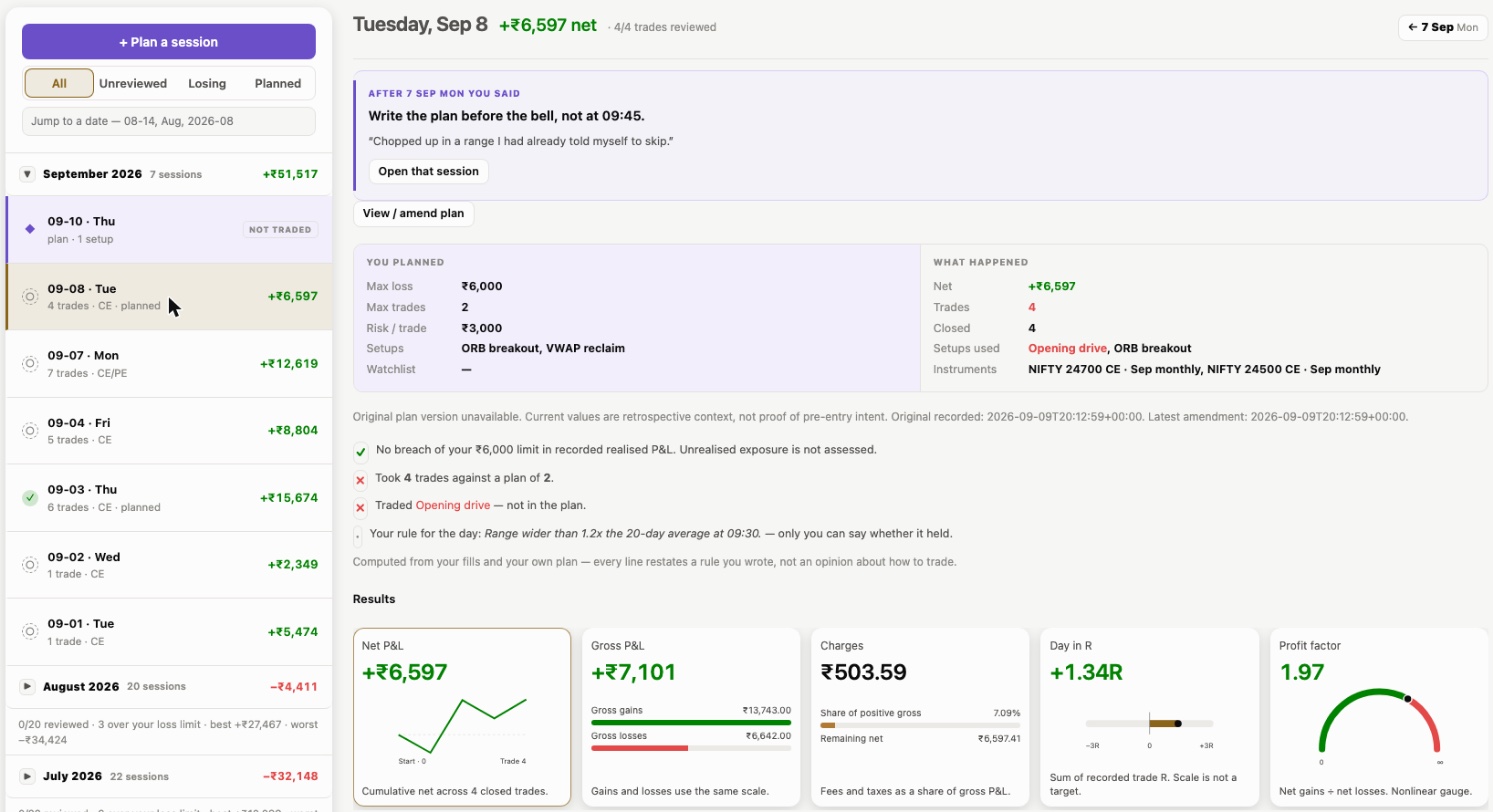
Set the day's max loss, trade cap, risk per trade and the setups you will allow. Yesterday's lesson is waiting at the top — written in your words, the night before.
“After Mon you said…” your one-line commitment opens the next session.
Plan beside the fills. 4 trades against a plan of 2; Opening drive traded but never planned.
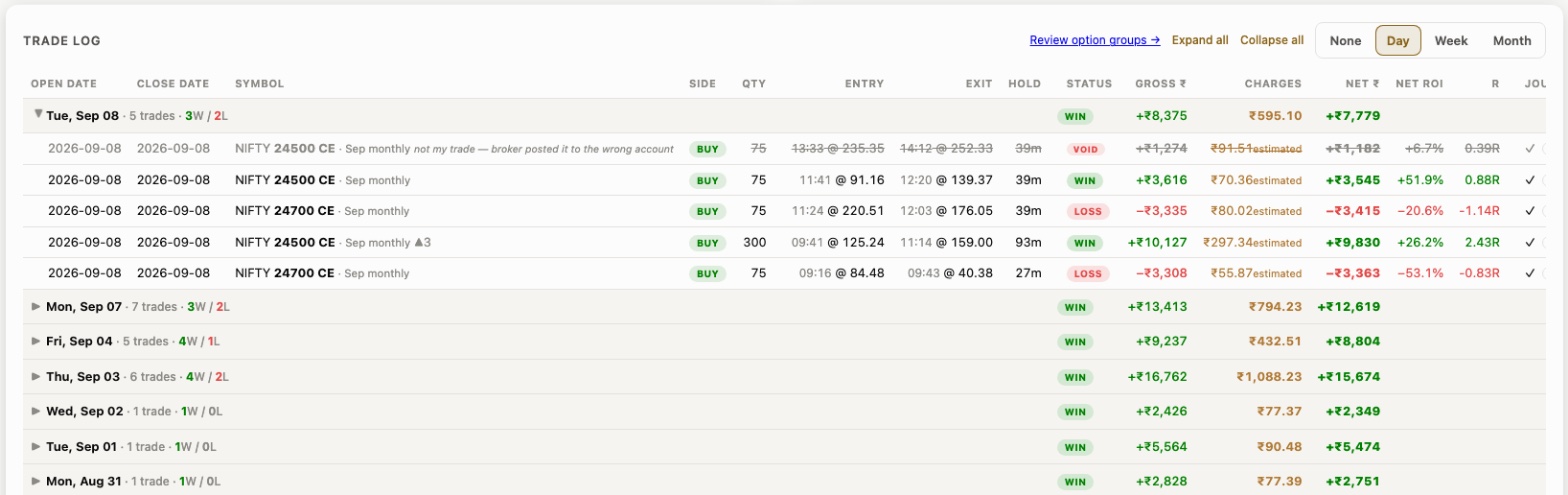
Preview your tradebook. Then import.
Zerodha Console, Upstox, m.Stock and Dhan contract notes import as-is; Fyers and others map once. Fills pair into trades, repeat uploads are caught by trade ID, and every trade carries its charges estimate.
Void, don't delete. “Not my trade — broker posted it to the wrong account” stays on record, struck through.
R on every row. Return against the risk you priced, not just ₹.
Review each trade. Reflect on the session.
Grade trades against your plan, record what shaped each decision and write one lesson for the next session.
See when the process changed.
TradeTattva connects the day’s P&L path with every trade and your recorded loss limit — so a recovery never hides where discipline broke.
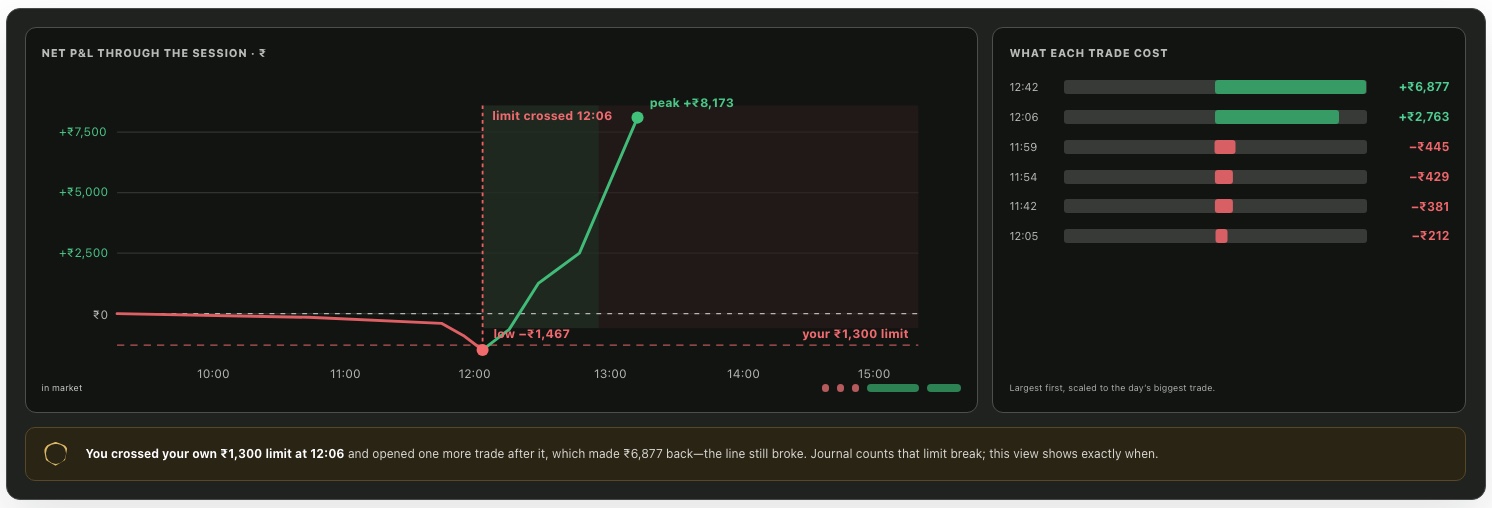
Your line on the chart. The loss limit you recorded that morning is drawn under the day’s P&L path.
The exact minute. The breach is time-stamped and every trade after it is shaded, so you see what followed.
Green doesn’t erase it. A recovery still counts as a broken line in Discipline — the result and the rule are scored apart.
Your process and results, side by side.
See whether your process holds from session to session, then place discipline beside edge. TradeTattva keeps the behaviour visible even when P&L is distracting.
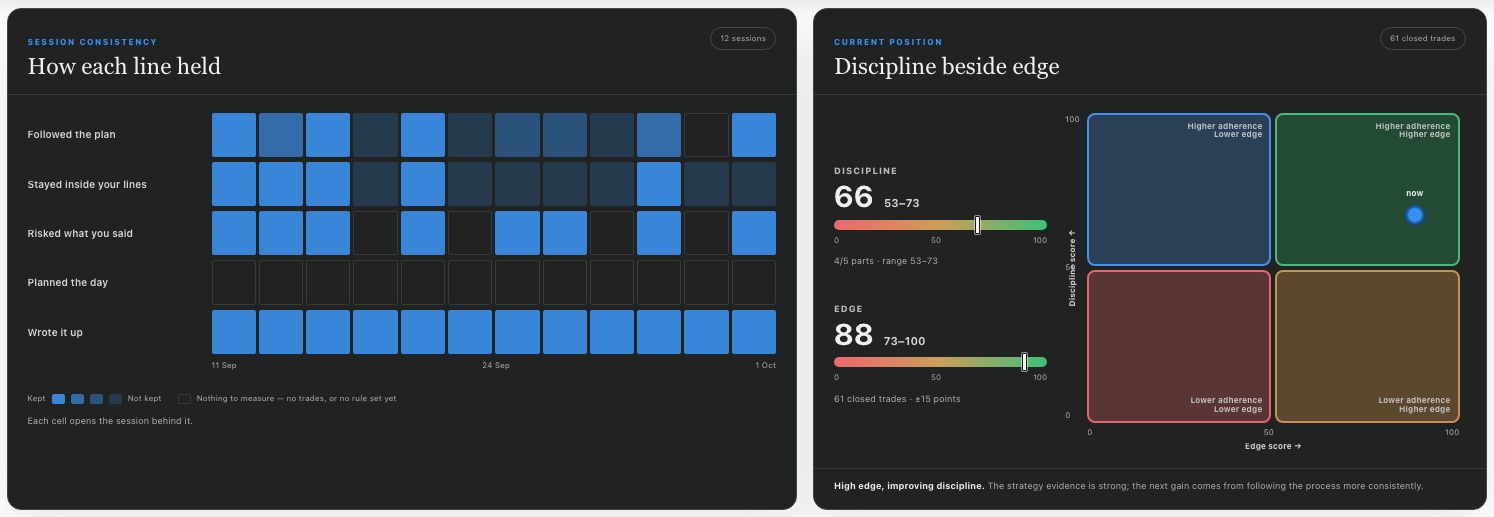
How each line held. Five promises, one cell per session — darker means kept. Each cell opens the session behind it.
Discipline is built only from what you declared — grades, limits, priced risk, plans, write-ups. Nothing in it is P&L.
Edge summarises recorded outcomes, with an uncertainty range when enough data is available.
Small things, done properly.
Stuck on a screen? Ask Tavya.
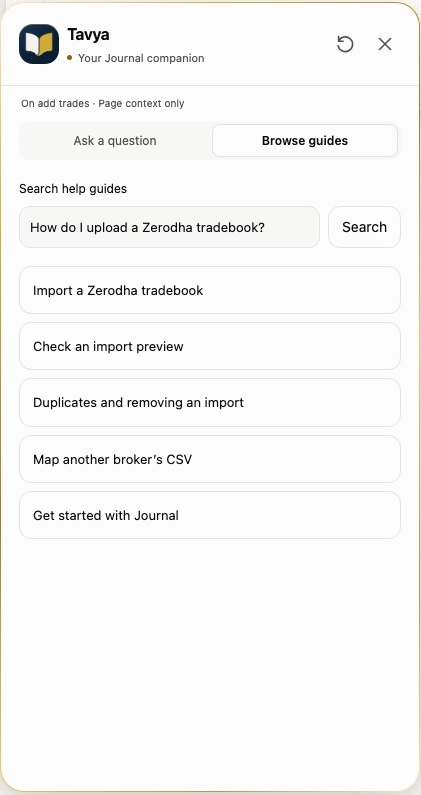
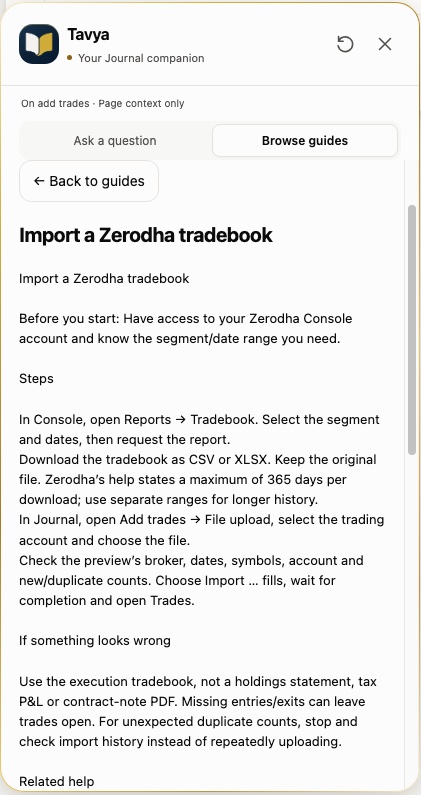
Tavya knows which page you are on and answers from the TradeTattva Handbook — how to export a Zerodha tradebook, why a file was rejected, what a score means. Then it opens the right screen.
Asked often.
More help is available inside TradeTattva after you sign in.
Which brokers can I import from?
Zerodha Console tradebooks (CSV/XLSX) and Kite orders, Upstox (XLSX/PDF), m.Stock (XLSX/PDF) and Dhan contract-note PDFs import directly. Fyers and any other broker CSV can be mapped column by column once and reused.
Does TradeTattva connect to my broker or place trades?
No. TradeTattva works from the files you import and the trades you enter. It never places, modifies or cancels orders.
How are charges calculated?
Charges are estimated per trade from segment and exchange, and labelled “estimated” wherever your broker did not report them. Net always means after those charges.
What are Discipline and Edge?
Discipline is built only from what you declared — grades, limits, priced risk, plans and write-ups; nothing in it is P&L. Edge is entirely outcomes and carries a range. They are shown together on the Flight Path and never averaged into one number.
Is there AI in the TradeTattva?
Tavya’s Handbook guides and page navigation are available in beta. Generated AI answers, trade and session reviews, weekly reviews and investigations are restricted to an owner-only pilot. They are not included in public beta access; no public release date is set.
Can I export or delete my data?
Yes. Export your journal, remove an individual import, clear the journal or delete your account from Settings.

Start with an honest record. The rest follows.
Free during beta. No card. Import your first tradebook in a few minutes.